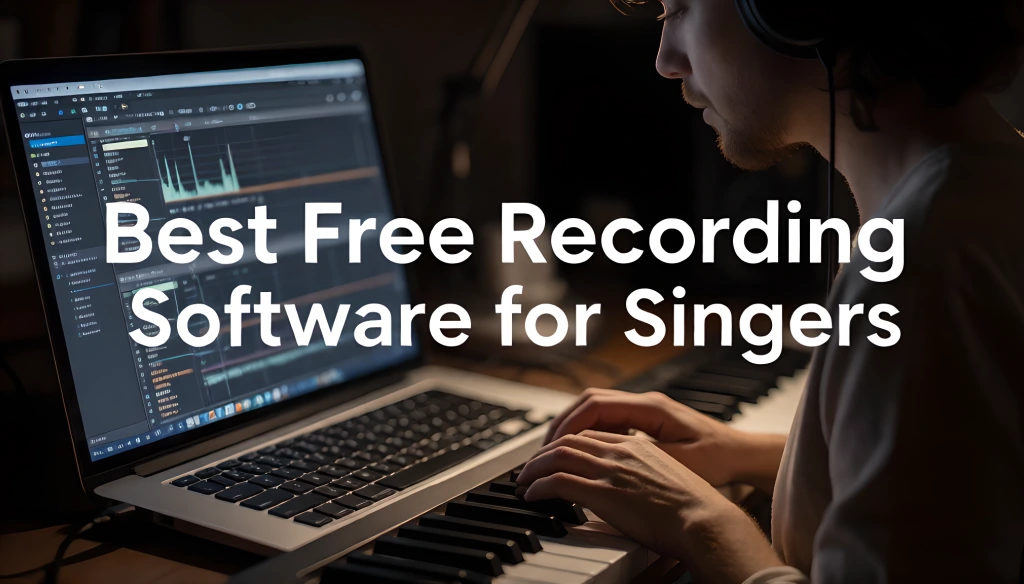
The best free recording software for singers is Waveform Free if you want unlimited tracks on any operating system, Cakewalk Sonar's free tier if you are on Windows, and GarageBand if you are on a Mac and want the shortest path to a finished vocal. All three handle the only four things a singer actually needs: stacking multiple takes, comping between them, editing pitch, and monitoring without latency. Everything else on a standard DAW comparison chart is written for producers, not for people whose instrument is their voice.
That distinction matters more than it sounds. Most "best free DAW" roundups score software on MIDI sequencing, drum programming, and synth libraries. A singer will use none of that.
Quick answer box
- Any operating system, no limits: Waveform Free
- Windows: Cakewalk Sonar Free Tier
- Mac, easiest start: GarageBand
- Learning studio workflow: Pro Tools Intro, but the 8-track cap is real
- Phone or browser: BandLab
- Skip for vocals: Audacity, despite what most lists say
Important: Cakewalk by BandLab, the pick most older guides still name, was retired in 2025 and no longer activates. Its replacement, Cakewalk Sonar, has a free tier.
Some links on this page are affiliate links. If you buy through them, we may earn a commission at no additional cost to you.
The Four Features That Actually Matter for Singers
Before the picks, here is the filter. A singer needs four things from recording software, and the rest is noise.
1. Take lanes and comping. You should be recording five full passes and assembling the best one, which is the single highest-impact habit in home recording. Software that makes that awkward will quietly ruin your vocals. This is the feature that eliminates more free options than anything else.
2. Low-latency monitoring. If your voice comes back in your headphones a fraction of a second late, you cannot sing in time. This is more about drivers and interfaces than about the software itself, which I will cover below.
3. Pitch editing, or ARA support. Either the software includes a note editor, or it supports ARA so a dedicated tuner can integrate directly. Without one of those, you are exporting files back and forth, which nobody sustains for long.
4. Vocal alignment. Tools that snap a doubled take to the timing of your lead. This turns a slow, fiddly job into a fast one, and it matters far more to a singer building stacks than any instrument library does.
Score free software on those four, and the rankings look very different from a generic roundup.
The Singer's Scorecard
My scoring, on singer-relevant criteria only. Limits and tiers shift, so confirm current details before you commit to one.
| Software | Platform | Track limit | Comping | Pitch editing | Third-party plugins | Curve | Singer score |
|---|---|---|---|---|---|---|---|
| Waveform Free | Win, Mac, Linux | Unlimited | Yes | Basic | VST2, VST3, AU | Moderate | 9/10 |
| Cakewalk Sonar Free | Windows only | Unlimited | Yes | ARA support | VST3 | Moderate | 9/10 |
| GarageBand | Mac, iOS | Generous | Yes | Basic correction | None | Easiest | 8.5/10 |
| Pro Tools Intro | Win, Mac | 8 audio tracks | Yes | Limited | AAX only | Moderate | 8/10 |
| BandLab Studio | Browser, mobile | 16 tracks, 15 min | Limited | Basic | None | Easiest | 7.5/10 |
| Audacity | Win, Mac, Linux | Unlimited | No | Basic | Limited | Easy | 7.5/10 |
Two scores in that table will surprise people who have read other roundups: Audacity near the bottom, and Pro Tools Intro in the middle despite being the industry name. Both deserve explanation.
The Audacity Trap
Audacity is the most recommended free audio tool on the internet and one of the worst choices a singer can make. I want to be specific about why, because the recommendation is so widespread that ignoring it feels wrong.
Audacity is an audio editor, not a multitrack recording environment. It was built for cutting, cleaning, and exporting single files, and it is excellent at that. What it does not do well is the core singer workflow: recording five passes of the same part into stacked take lanes and comping between them line by line.
It also processes destructively by default. Apply EQ, and the audio changes. Change your mind three hours later, and you are undoing or re-recording rather than bypassing a plugin.
Use Audacity for: cleaning up a single file, trimming a demo, spoken word, podcast editing, converting formats.
Do not use Audacity for: anything you intend to release, anything with layered vocals, anything you will mix.
If you are stacking harmonies and doubles, the workflow in layering vocals and double-tracking essentially requires proper take lanes. Audacity will fight you at every step.
What Changed in 2026
Worth flagging, because it invalidates a lot of the advice still sitting at the top of search results.
Cakewalk by BandLab was the default recommendation for Windows users for years, and reasonably so; it was a full professional DAW given away for nothing. It has now been fully retired. It no longer activates, and it is no longer supported.
Its replacement is Cakewalk Sonar, which comes with a free tier that keeps the parts that matter: unlimited tracks, the full mixing console, VST3 support, ARA integration, and VocalSync. A paid BandLab Membership unlocks deeper features, but you can record, mix, and export complete releases without paying.
For singers specifically, two of those items punch above their weight. ARA support means a dedicated pitch editor integrates directly into the timeline instead of forcing file exports, which matters a lot if you follow the workflow in pitch correction tools. VocalSync aligns a doubled take to your lead automatically, which turns the slowest part of building vocal stacks into a background task.
If a guide you are reading still lists Cakewalk by BandLab as a current option, it was written before the software stopped working.
The Picks
Best overall: Waveform Free
Cross-platform, unlimited audio and MIDI tracks, and support for VST2, VST3, and AU plugins. There are no artificial caps designed to push you toward the paid version, which is genuinely rare in this category.
The tradeoff: the interface is unconventional. It uses a single-window layout that does not resemble other DAWs, so tutorials filmed in other software will not map cleanly. Budget a weekend to get comfortable.
Pick this if you are on Linux, you switch between Windows and Mac, or you want the fewest limits without paying anything.
Best for Windows: Cakewalk Sonar Free Tier
The most capable free option on Windows, with a traditional multitrack layout that matches how most tutorials are filmed. Unlimited tracks, full console, ARA, and VocalSync in the free tier.
The tradeoff: Windows only, and the deepest features sit behind a membership. The core recording and mixing workflow does not.
Pick this if you are on Windows and want professional capability with a conventional workflow.
Best for Mac beginners: GarageBand
Already installed, effectively zero learning curve, and the stock instruments and effects are better than free software has any right to be. Multi-take recording and comping work well, and basic pitch correction is built in.
The tradeoff: no third-party VST or AU plugin support. That is the ceiling, and it is the reason people eventually move to Logic.
Pick this if you are on a Mac and want to be recording within ten minutes.
Best for learning studio workflow: Pro Tools Intro
Free, and it teaches the keyboard shortcuts and signal flow used in commercial studios. If you expect to work in professional rooms later, that familiarity has real value.
The tradeoff: capped at 8 audio tracks, 8 instrument tracks, and 8 MIDI tracks, with a limit on how many you can record simultaneously. For a singer building stacks, eight audio tracks disappear during the second chorus.
Pick this if learning the Pro Tools ecosystem is the actual goal. Otherwise, the cap will frustrate you fast.
Best for phone or browser: BandLab
Free, runs in a browser or on a phone, and it is a genuinely good place to sketch ideas and collaborate. Track and project-length limits apply; there is no third-party plugin support, and it needs an internet connection.
Pick this if you want to capture ideas anywhere. Move to a desktop DAW when you are ready to finish something.
Worth knowing: Reaper
Not free, so it does not belong on the list proper, but it deserves a mention because the licensing is unusually humane. There is a fully functional evaluation period and then a low-cost personal license, far below what other professional DAWs cost. The take-lane and comping workflow is among the best available at any price, and it runs well on old, slow computers.
Consider it if you have outgrown free options and can spend a small amount once.
The Latency Reality Check
Here is the thing that makes people quit, and it is rarely the software's fault.
You install a free DAW, plug in a mic, put on headphones, and your voice arrives back in your ears noticeably late. You cannot sing in time to something that is behind you, so you conclude the software is bad and give up. The actual culprit is your audio driver and buffer size.
Fix one: use the right driver. On Windows, that means ASIO rather than the generic Windows driver. On Mac, Core Audio handles it natively, and this is rarely an issue.
Fix two: set your buffer correctly. Small buffer for recording, large buffer for mixing. Here are the approximate numbers at 44.1 kHz, one-way; round-trip latency is roughly double.
| Buffer size | Approximate one-way latency | Use for |
|---|---|---|
| 64 samples | About 1.5 ms | Tracking, if your computer keeps up |
| 128 samples | About 3 ms | Tracking; the usual sweet spot |
| 256 samples | About 6 ms | Tracking with a few plugins running |
| 512 samples | About 12 ms | Mixing |
| 1024 samples | About 23 ms | Mixing heavy sessions |
Most singers begin noticing delay somewhere above 10 ms round trip, and anything past roughly 20 ms makes accurate timing genuinely difficult. So track at 128, then raise the buffer once you move to mixing. Nobody needs low latency while mixing, and a big buffer stops the crackling.
The engineering standards behind sample rates, buffering, and converter latency come out of the Audio Engineering Society, whose published work is the reference point for how digital audio systems handle timing.
Fix three, and this is the one that costs money. A dedicated audio interface with a proper driver solves latency in a way that software settings cannot, because most interfaces offer direct hardware monitoring; your voice reaches your headphones before the computer is involved at all. This is the single best argument for spending on hardware when your software is free.
Interfaces and headphones I buy from Zzounds, largely because their no-interest payment plans make a proper interface affordable in a month when it otherwise would not be. Cables, stands, and pop filters are usually cheaper on Amazon. If your total budget is tight, recording vocals under $200 shows exactly where free software frees up money for the parts that matter.
Free Software, Paid Skill
Your DAW costing nothing is genuinely good news, and it changes where your money should go.
The stock plugins in every option above will produce a releasable vocal. Stock EQ and compression are fully capable, and the approach to EQ and compression on vocals works identically in free software. So plugin bundles are not the upgrade you need.
What is left is the part software cannot supply. A free DAW records exactly what you sing into it, and it will do so with perfect fidelity whether that performance is ready or not.
Start with the free options:
Singing Carrots runs range tests and a real-time pitch monitor in the browser at no cost. If you are already downloading free software today, spend ten minutes there first; discovering your song sits two semitones above your comfortable range is a free fix worth more than any plugin.
Then, if you find a gap:
- EarMaster for pitch and interval recognition, which is the difference between hearing that a take is off and knowing why.
- 30 Day Singer for structured daily practice, and the low monthly cost fits the budget of someone deliberately choosing free software.
- Singorama if you would rather pay once for breathing, pitch, and tone in one course.
- Roger Love's program if your voice sounds good in the room and weak on playback, which is a recording-specific problem.
- Robert Lunte / The Vocalist Studio for rock, metal, and heavy belting.
Common Mistakes
Choosing software before checking what your interface supports. Some interfaces bundle a specific DAW license. Check the box before you download something else.
Picking based on what famous producers use. They are programming drums and running 90-track sessions. You are recording one voice five times.
Recording in MP3. Record and export WAV at 24-bit. MP3 is lossy, and you cannot get the quality back once it is gone. Export an MP3 at the end for sharing; keep the WAV forever.
Setting the buffer once and forgetting it. Small for tracking, large for mixing. Change it every session.
Downloading four DAWs to compare. Pick one from the scorecard and learn it. Software switching is the most common form of productive-feeling procrastination in home recording.
Blaming the software for room problems. No DAW fixes reflections. That is a treatment issue, covered in home studio setup for singers.
Frequently Asked Questions
What is the best free recording software for singers on Windows?
Cakewalk Sonar's free tier. It offers unlimited tracks, a full mixing console, VST3 and ARA support, and VocalSync for aligning doubled takes. Note that the older Cakewalk by BandLab is retired and no longer activates.
Is free recording software good enough to release music?
Yes. Every option in the scorecard above can produce a commercially releasable vocal. The limiting factors in home recordings are the room, the performance, and the mic placement, not the software.
Should I use Audacity to record vocals?
For anything you plan to release, no. Audacity is a destructive audio editor without proper take lanes, so comping multiple passes is awkward. Use it for trimming files and spoken word instead.
Do free DAWs have track limits?
Some do. Waveform Free and Cakewalk Sonar's free tier offer unlimited tracks. Pro Tools Intro caps at 8 audio tracks, and BandLab's browser studio limits both track count and project length.
Why is there a delay when I sing into my computer?
Your buffer size is too high, or you are using a generic audio driver instead of ASIO on Windows. Set the buffer to 128 samples for recording, and use an audio interface with direct hardware monitoring if the problem persists.
Which free DAW is easiest for a complete beginner?
GarageBand on a Mac, since it is preinstalled and requires almost no setup. On Windows, Cakewalk Sonar's free tier has a steeper curve but a conventional layout that matches most tutorials.
Your Next Step
The best free recording software for singers is whichever of the top three matches your operating system, because all of them clear the bar on comping, pitch editing, and latency. Waveform Free anywhere, Cakewalk Sonar on Windows, GarageBand on Mac. Download one, not three.
Then set your buffer to 128 samples and record a single line before you do anything else. If your voice arrives back on time, you have solved the problem that stops most people. If it does not, you now know exactly what to fix.
From there, work through the recording and music production guides for singers, starting with how to record vocals at home for the tracking process your new software is going to run.