The best DAWs for beginners recording vocals, or even pros, comes down to a short list: Avid Pro Tools Studio for industry-standard vocal editing and comping, FL Studio if you want strong production tools alongside your vocal tracks, Fender Studio Pro if you're a singer who also plays guitar or bass, and Reason 13 if you want a fun, rack-based workflow with a genuinely unique vocal instrument built in.
Most "best DAW" articles online are written for beatmakers and producers first. This one is written for singers, which means we're judging these DAWs on how well they record, edit, comp, and tune a vocal take, not just how many synths they ship with.
We'll walk through what actually matters for vocalists shopping for a Digital Audio Workstation, break down all 7 real licensing options across these 4 platforms, and help you figure out which one fits your workflow and your wallet. Whether you're tracking your first cover song or running a full home studio, there's a fit here.
What Matters in a DAW When You're a Singer
Producers shopping for Music Production Software care about drum machines, synth libraries, and beat-slicing tools. Singers should care about a different list:
- Comping tools. The ability to record several takes of the same line and stitch together the best phrases, words, or syllables from each one. This is how professional vocals actually get made.
- Pitch correction, built in or bundled. Even subtle corrections save takes that are 90% great but drift in one spot.
- Clip-level editing. Time-stretching, pitch-shifting, and reversing individual audio clips without affecting the whole track.
- Track count and routing. If you plan to layer harmonies, doubles, and ad-libs, you'll want generous track counts and flexible bus routing.
- System requirements that match your computer. Some DAWs need serious RAM and disk space; others run comfortably on modest laptops.
- A licensing model you're comfortable with. Own it forever, or pay a smaller amount annually forever. Both are valid, but they suit different budgets and habits.
None of this requires the deepest synth library on the market. It requires a DAW that gets out of the way and lets you capture, fix, and polish a performance.
Perpetual License vs Subscription: Know What You're Buying
This is the single biggest decision across this whole list, and it's worth understanding before you compare features.
Perpetual license: You pay once and own that version of the software forever. Most perpetual licenses in this guide include a year of free updates, after which you can keep using the software exactly as-is with no further payment, or pay a smaller annual fee to keep getting new features.
Subscription: You pay annually (or sometimes monthly) and lose access if you stop paying. Subscriptions are often cheaper upfront and sometimes bundle in extra third-party software or cloud features you'd otherwise buy separately.
Neither is a trap. If you update gear slowly and want to own your tools outright, lean perpetual. If you want the latest features every year without a high upfront cost, a subscription can make sense, especially if you're not sure DAW software is even the right long-term tool for you yet.
Quick Comparison Table
| DAW (Digital Audio Workstation) | License | Price | Best For |
|---|---|---|---|
| Avid Pro Tools Studio (Perpetual) | Own forever + 1yr updates | $599.00 | Industry-standard vocal comping and editing |
| Avid Pro Tools Studio (1-Year Sub) | Annual subscription | $299.00 | Same power, lower upfront cost |
| FL Studio Producer Edition | Own forever | $179.00 | Singer-songwriters who also produce |
| FL Studio Signature Edition | Own forever | $269.00 | More plugins, including Gross Beat |
| FL Studio All-Plugins Edition | Own forever | $449.00 | Everything Image-Line makes, one price |
| Fender Studio Pro (Perpetual) | Own forever + 1yr updates | $199.99 | Singers who also play guitar or bass |
| Reason 13 | Own forever (Reason 14 included now) | $499.00 | Rack-based workflow, built-in vocal ensemble instrument |
You can Click Here to check current pricing and licensing options for each DAW above.
Avid Pro Tools Studio: The Industry Standard for Vocal Editing
Pro Tools is the DAW you'll find in the overwhelming majority of professional studios, and the reason is simple: nothing else edits and comps vocals quite as well. The waveform editing, the playlist comping tools for stacking and selecting between multiple takes, and the sheer precision available down to the sample level make it the benchmark every other DAW gets compared to for vocal work.
Pro Tools Studio (Perpetual License)
License: Own it forever, includes 1 year of software updates and support, renewable annually for $99/year after that
This is the buy-it-once option. You get the full Pro Tools Studio toolset (512 audio tracks, 512 instrument tracks, 1,024 MIDI tracks, surround and Dolby Atmos mixing), plus a serious bonus: the UVI Falcon hybrid virtual instrument with a 2.6 GB sample library and 1,000 factory presets, included free for the first year. Pro Tools Sketch, a clip-based idea-capture tool also available as a free iPad app, comes along for catching ideas the moment they hit you.
What we love:
- Own the software outright; no recurring cost required after year one
- Bonus plug-ins and the UVI Falcon instrument add real value beyond the DAW itself
- Industry-standard comping tools that nothing else quite matches
- iLok-free operation available through iLok Cloud
Watch out for:
- Steep system requirements: 16 GB RAM minimum (32 GB recommended) on both Mac and Windows
- $99/year if you want to keep getting new feature releases after the included first year
- This listing has no buyer reviews yet, so you're going in without crowd-sourced feedback specific to this exact license type
Check the latest price and specs
Pro Tools Studio (1-Year Subscription)
License: Annual subscription
Same core Pro Tools Studio toolset, but at roughly half the upfront cost of the perpetual license, paid annually instead. This version specifically bundles Celemony Melodyne 5 Essential, which is one of the most respected pitch correction tools in the industry, plus the Complete Production Bundle of plugins. For singers, having Melodyne built into your subscription instead of being bought separately is a meaningful inclusion; standalone Melodyne licenses commonly run well past $100 on their own.
What we love:
- Lower upfront cost than the perpetual license
- Includes Celemony Melodyne 5 Essential, a serious pitch correction tool, at no extra cost
- Same 512/512/1,024 track counts and Dolby Atmos/surround mixing as the perpetual version
- Same Pro Tools Sketch idea-capture tool included
Watch out for:
- You lose access if you stop renewing, unlike the perpetual license
- Same demanding system requirements: 16 GB RAM minimum, 15 GB disk space
- No buyer reviews yet on this specific listing
Check the latest price and specs
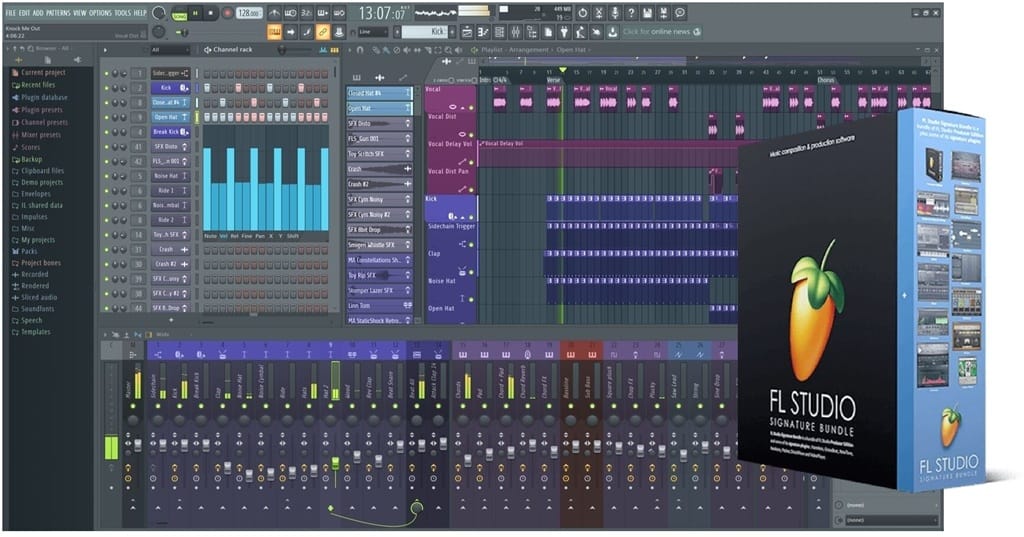
Image-Line FL Studio: Production Power Alongside Your Vocals
FL Studio comes from a different world than Pro Tools. It was built as a beat-making and production tool first, but it has matured into a fully capable recording environment, and for a singer who also wants to build the music behind their voice, that combination is genuinely appealing.
All three editions below share the same core 2025 feature set, including per-clip time-stretch, pitch-shift, and reverse editing, a Gopher AI assistant built into the help panel, 500 mixer insert tracks, and lifetime free updates once you buy. They differ mainly in how many bundled instruments and effects you get.
FL Studio Producer Edition
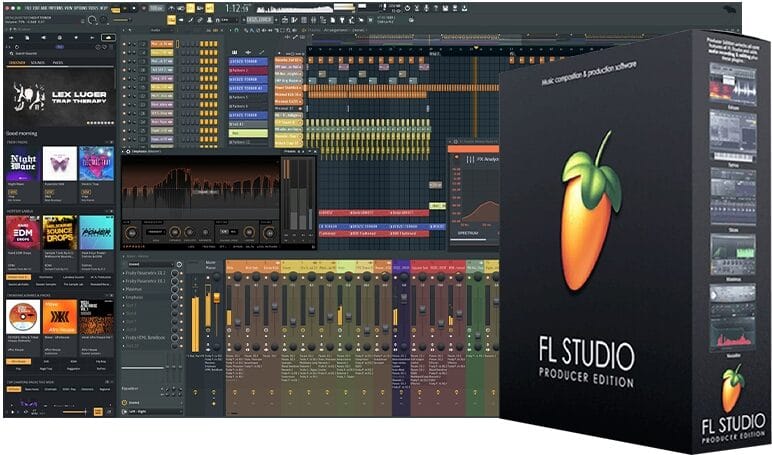
Includes: 95+ instruments and effects, Stem Separation
This is FL Studio's most popular edition and the natural starting point. You get the full recording, arranging, mixing, and mastering toolset, Stem Separation for pulling instrumental or vocal elements out of existing audio, and the complete core plugin set including Sytrus, Maximus, Parametric EQ 2, and FLEX.
Watch out for: At least one verified buyer left a strongly negative review in early 2024, reporting unresolved support tickets and a frustrating activation experience that locked them into trial mode despite having purchased and registered the software.
That's a single data point rather than a verdict on the product as a whole, but it's worth knowing before you buy, and worth registering your license carefully and keeping your activation confirmation if you do.
Check the latest price and specs
FL Studio Signature Edition
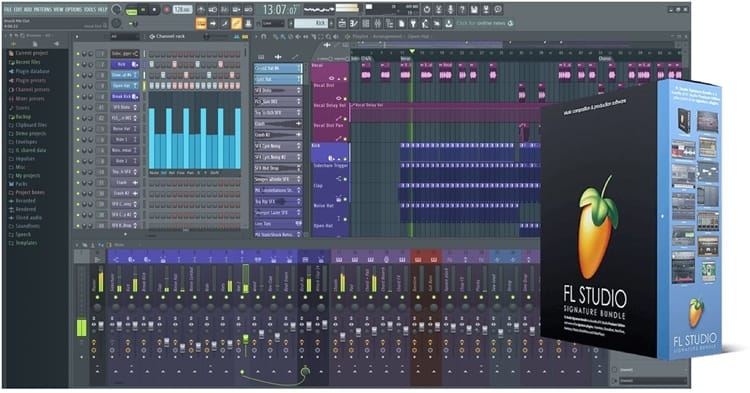
Includes: 100+ instruments and effects, adds Gross Beat and Maximus to the Producer toolset
The Signature Edition is the middle tier, and real buyer feedback on it is notably positive. One detailed, highly-rated verified review specifically called out the piano roll as best-in-class, praised the lifetime free update model, and pointed out that producers like Martin Garrix work in FL Studio, which says something about its ceiling for serious music-making alongside your vocal work.
Check the latest price and specs
FL Studio All-Plugins Edition
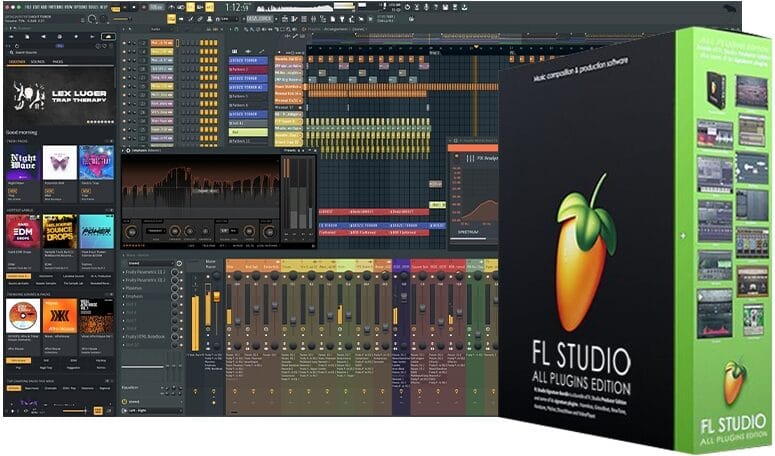
Includes: 115+ instruments and effects, everything Image-Line has ever made
If you don't want to think about which plugins you're missing, this is the edition that ends the question. It includes the full Image-Line catalog, the FL Studio Mobile Rack (7 extra instruments and 29 effects), and all exclusive tools such as Harmor, LuxeVerb, and Emphasis.
Lifetime free updates apply here, too, so this is genuinely a one-time purchase that keeps growing with the software for free.
Check the latest price and specs
All three FL Studio editions run on surprisingly modest hardware, just 4 GB of RAM minimum and 4 GB of disk space on Mac or Windows, which makes FL Studio one of the most accessible options here if your computer isn't brand new.
Fender Studio Pro: Built for Singer-Songwriters Who Also Play
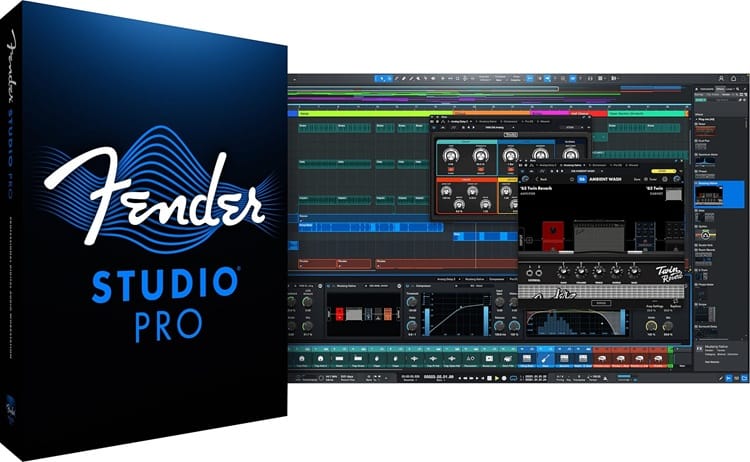
Fender Studio Pro deserves a closer look than its name might suggest if you haven't heard of it yet. This is the next evolution of PreSonus Studio One, now under the Fender brand, combining Studio One's proven recording and mixing workflow with native Fender amp modeling built directly into the DAW.
License: Perpetual, includes 1 year of feature releases, no subscription required
For a singer who also plays guitar or bass on their own recordings, this is a genuinely different value proposition than the other DAWs here. Fender Studio Pro includes native Fender Mustang Guitar and Rumble Bass plug-ins with 39 guitar amps, 39 bass amps, and 73 FX pedal models built in, so you can track a believable electric guitar or bass part without buying separate amp-sim software.
On the vocal and songwriting side, it adds AI-powered Audio-to-Note conversion (turning a recorded vocal melody into editable MIDI), a Chord Assistant that suggests chords as you write, updated Sample One and Impact samplers, and a Studio Verb plug-in built for natural-sounding reverb.
What we love:
- Native Fender amp and bass modeling is a real, usable feature for singer-songwriters, not a gimmick
- AI Audio-to-Note conversion and Chord Assistant genuinely help with songwriting, not just recording
- Lowest perpetual-license price in this guide at $199.99
- Linux support available in public beta, a rarity among major DAWs
- Built on the proven Studio One platform, with decades of refinement behind the workflow
Watch out for:
- 8 GB RAM minimum (16 GB recommended), higher than FL Studio but more reasonable than Pro Tools
- 40 GB of hard drive space needed for the full install
- No buyer reviews yet on this specific listing
If you're a singer who also writes on guitar, the combination of real Fender tone and Studio One's mature recording engine is hard to find anywhere else at this price.
Check the latest price and specs
Reason Studios Reason 13: Vocals With a Rack-Based Twist
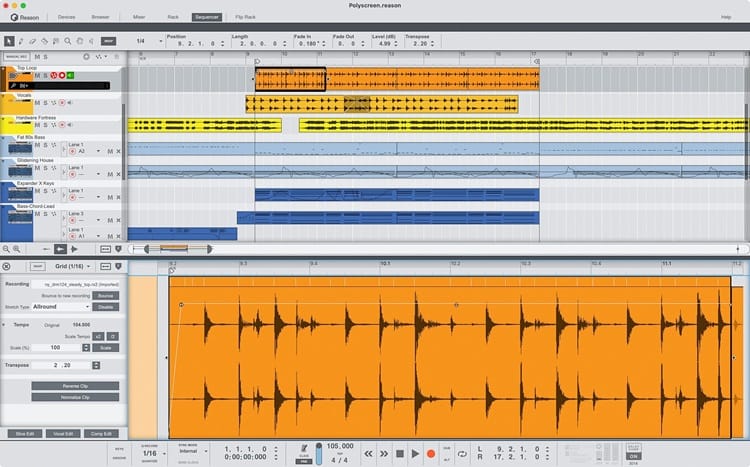
Reason works differently from every other DAW on this list. Instead of a traditional track-based interface, Reason centers on a virtual rack you wire together like real studio hardware, instruments into effects into mixers, visually and intuitively. You can run it as a standalone DAW with full recording and sequencing, or load it as a plugin inside another DAW (including Pro Tools, which requires Pro Tools 12 or later for AAX support).
License: Own it forever
Reason 13 added a genuinely deep instrument library update: 1,000+ new patches, samples, REX loops, and song starter templates, plus new devices including the Polytone dual-layer synthesizer and the Ripley Space Delay. For singers specifically, Reason includes the Humana Vocal Ensemble device, a built-in choir and vocal-texture instrument that's unusual to find baked into any DAW at this price.
What we love:
- Unique, visual rack-based workflow that some singer-songwriters find more intuitive than a traditional timeline
- Humana Vocal Ensemble gives you instant choir and vocal pad textures without separate plugins
- Right now, buying Reason 13 includes a free upgrade to Reason 14, which is already available, so you're effectively buying the newer version at the older price
- Comfortable system requirements: 4 GB RAM minimum, similar to FL Studio
- Works as a standalone DAW or as a plugin inside your existing setup
Watch out for:
- $499 is the highest price point in this guide outside the Pro Tools perpetual license
- The rack-based workflow has a learning curve if you're used to a traditional timeline view
- No buyer reviews yet on this specific listing
Check the latest price and specs
Which DAW Fits Your Situation?
Here's the fast answer based on what kind of singer you are:
- You want the same tool that top studios use for vocal comping and editing: Pro Tools Studio, perpetual if you want to own it, subscription if you want Melodyne included, and a lower upfront cost.
- You're a singer-songwriter who also produces beats or full instrumentals: FL Studio, starting with the Producer Edition and upgrading editions as your plugin needs grow.
- You sing and also play guitar or bass on your own tracks: Fender Studio Pro gives you real amp tone and a mature recording workflow in one purchase.
- You want something different, with a genuine vocal ensemble instrument built in: Reason 13, especially right now, while it includes Reason 14 at no extra cost.
- Your computer is older or has limited RAM: FL Studio or Reason 13 will treat your hardware far more gently than Pro Tools or Fender Studio Pro.
Whichever DAW you land on, remember that a great vocal recording starts with the source, not the software. Pair any of these with solid technique. Our guide to the best online singing lessons breaks down structured coaching options that will improve what you're capturing before a single plugin gets involved.
Frequently Asked Questions
What is the best Digital Audio Workstation for beginners recording vocals?
Fender Studio Pro and FL Studio Producer Edition are both strong starting points. Fender Studio Pro has a more modern, streamlined interface and is especially good if you also play guitar or bass. FL Studio Producer Edition is cheaper and runs on more modest computers.
Is Pro Tools worth it just for recording vocals?
If you want the same editing and comping tools used in professional studios, yes. Pro Tools is widely considered the standard specifically because of how well it handles vocal takes, playlists, and fine editing. If you mainly want to write and produce full songs with lots of virtual instruments, FL Studio or Reason may serve you better for the price.
Should I buy a perpetual license or a subscription?
If you want to own your software permanently and don't mind a higher upfront cost, choose a perpetual license like the Pro Tools Studio Perpetual, FL Studio editions, Fender Studio Pro, or Reason 13. If you'd rather pay less upfront and get bundled extras like Melodyne, the Pro Tools Studio 1-Year Subscription is worth considering.
Do I need an expensive computer to run these DAWs?
Not necessarily. FL Studio and Reason 13 both run comfortably on 4 GB of RAM, which fits most modern laptops. Fender Studio Pro wants 8 GB minimum (16 GB recommended), and Pro Tools Studio is the most demanding at 16 GB minimum, with 32 GB recommended for serious sessions.
Do any of these DAWs include pitch correction for vocals?
The Pro Tools Studio 1-Year Subscription includes Celemony Melodyne 5 Essential built in. FL Studio's editions include per-clip pitch-shift tools as part of their standard audio clip editing. None of the others in this guide bundle a dedicated third-party pitch correction tool by default, though all support adding plugins like Melodyne or Auto-Tune separately.
What DAW do professional producers actually use?
Pro Tools remains the standard in most professional recording and mixing studios, especially for vocal-heavy genres. FL Studio has a massive following in hip-hop and electronic production, with artists like Martin Garrix building entire careers inside it. The right answer depends on whether your priority is vocal editing precision or full-track production flexibility.
Can I use Reason as a plugin instead of a full DAW?
Yes. Reason 13 can run as a standalone DAW or load as a plugin (VST3, AU, or AAX) inside another DAW you already use, including Pro Tools 12 or later. That flexibility makes it a reasonable add-on even if you've already settled on a different primary DAW.
Final Picks
Best DAWs for recording vocals, by what matters most to you:
- Best Industry-Standard Vocal Editing (Own It): Pro Tools Studio Perpetual
- Best Industry-Standard Vocal Editing (Lower Upfront Cost): Pro Tools Studio 1-Year Subscription
- Best Budget Starting Point: FL Studio Producer Edition
- Best Mid-Tier Value: FL Studio Signature Edition
- Best for Maximum Plugins, One Price: FL Studio All-Plugins Edition
- Best for Singer-Songwriters Who Play Guitar or Bass: Fender Studio Pro
- Best Unique Workflow With Built-In Vocal Instrument: Reason 13
A Digital Audio Workstation is one of the few purchases on this list you'll use literally every time you record. Take the time to pick the one that matches how you actually work, not just the one with the longest feature list. And once you've settled on your software, make sure the rest of your signal chain is dialed in too.
Our Best Audio Interfaces for Home Vocal Recording and Best In-Ear Monitors for Live Singers guides round out the gear side, and our Singing Equipment Reviews guide ties the whole picture together.